Flagship App

MySecretary: Voice to action
The voice-first AI productivity app built for people who think faster than they type.
The voice-first AI productivity app built for people who think faster than they type.
MySecretary: Voice to action captures your voice and transforms it into everything you need: email drafts, task lists, meeting notes, summaries, action items, outlines, and daily briefings — all in seconds.
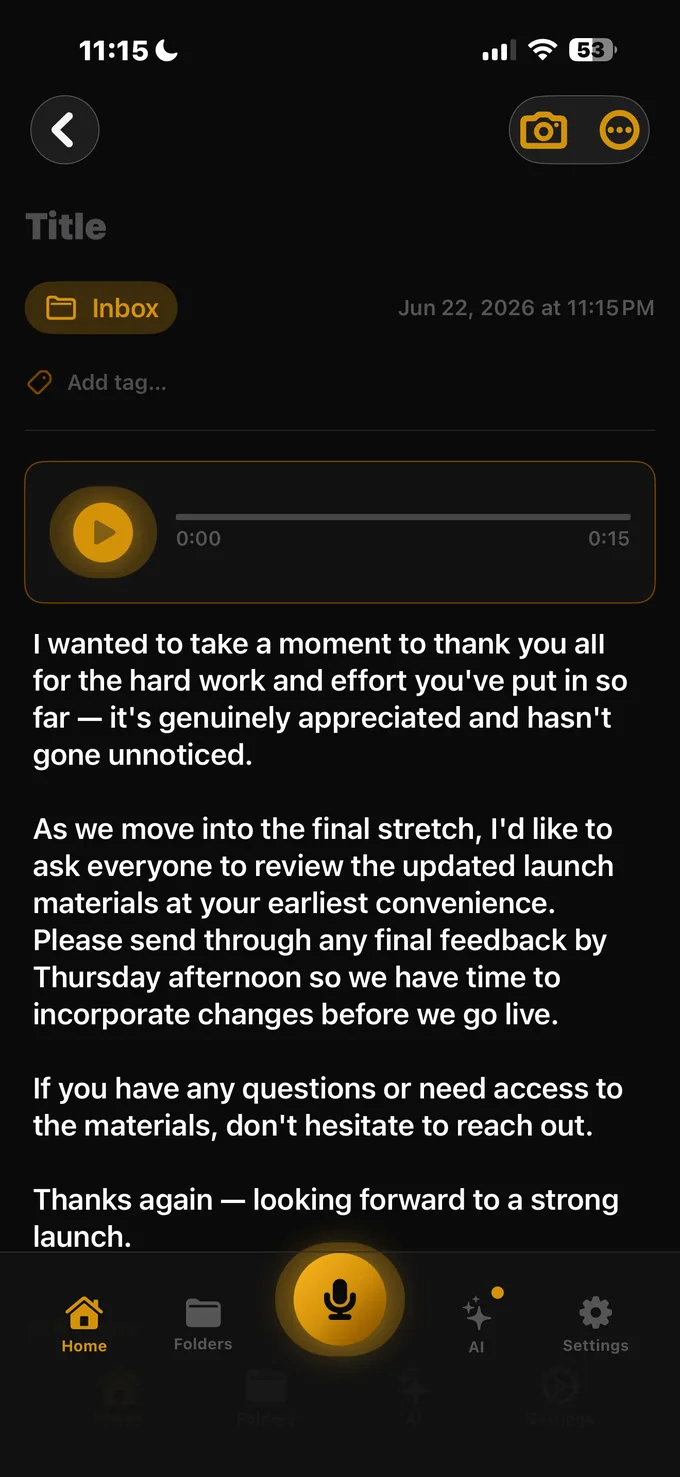
Speak naturally and let MySecretary: Voice to action handle the rest. No typing required — just talk and execute.
One voice note becomes a polished, professional email ready to send in seconds.
AI identifies and structures action items automatically from everything you say.
Turn a voice note into a clean meeting recap complete with decisions and next steps.
From rough ideas to structured outlines — perfect for decks, reports, and pitches.
Start every day with a personalized AI-generated briefing based on your priorities.
MySecretary: Voice to action is built for the builders, operators, and decision-makers who can't afford to slow down for administrative work.
MySecretary: Voice to action was architected so your notes, voice recordings, and photos stay on your device and your personal iCloud — we can't access them, period.
Notes, recordings, and photos live on your device and your iCloud — never on our infrastructure.
We don't sell your data and we don't use it for advertising. Your information works for you, not against you.
Hashed passwords, Keychain-stored tokens, and HTTPS/TLS on every connection.

MySecretary: Voice to action is the first product in MySuite — a growing ecosystem of AI-powered productivity apps, each designed to handle a specific layer of executive work.
Voice-first AI that turns notes into emails, tasks, summaries, and briefings. The flagship of MySuite.
AI relationship intelligence — rich client profiles, meeting prep, and follow-up opportunities with zero manual CRM data entry.
Voice-to-expense tracking with receipt OCR, smart categorization, budgeting, invoicing, and executive financial briefings.
Executive meeting intelligence — briefs before, live decisions and action items during, lasting knowledge after.
The executive command center of MySuite — priorities, briefings, and intelligence from every app in one view.
Quick answers about outputs, pricing, privacy, and setup.